The end of the unbilled hour.
If it's on the board, it's on the bill.
You did the work. The research, the revisions, the call that ran long. Aeto ties every task to your invoice automatically — so nothing you've earned quietly disappears.
30-day free trialNo credit card requiredMac · Web · Chrome
Homepage redesign
Write project summary
Logo mark variations
Mobile responsive fixes
Brand style guide
Kickoff call
Creative brief review
Initial wireframes
Freelancers lose money in the gaps between apps.
Research in one place. Time in another. Invoice built in a spreadsheet from memory. At every handoff, hours quietly fall through the floor.
01 — Research
The session you forgot to log.
Two hours deep in a Figma file. You meant to start the timer. You didn't.
~2h 00m — $280
02 — Revisions
The round you started before remembering.
You opened the file, made the edits, sent it back. The timer never came up.
~1h 20m — $186
03 — Calls
The call you tracked — and lost.
Logged in your head, never made it to the spreadsheet, never made it to the invoice.
~0h 45m — $105
04 — Switching
The mental tax of reassembling it later.
Friday afternoon, trying to rebuild a week you only half-remember.
~$400/mo avg
THE FIX
Aeto closes every gap. One app, one workflow, nothing left unbilled.
From first task to final invoice. Nothing in between gets lost.
Every step of the workflow connects. What's on the board ends up on the bill — because the board, the timer, and the invoice are the same thing.
Step
01
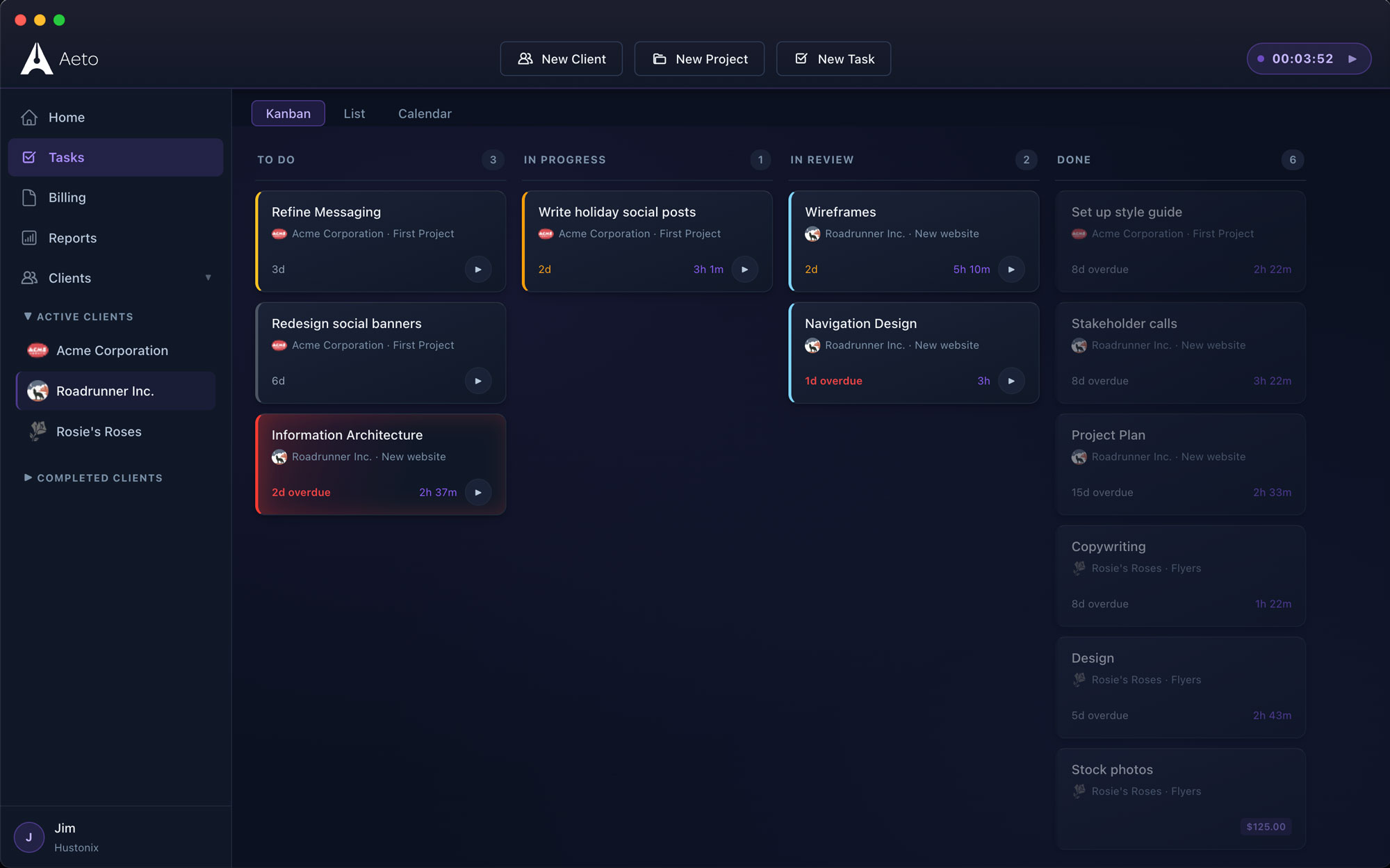
Put the work on the board.
Add a client, create a project, break it into tasks. Every task is a future invoice line item from the moment you type it.
Step
02
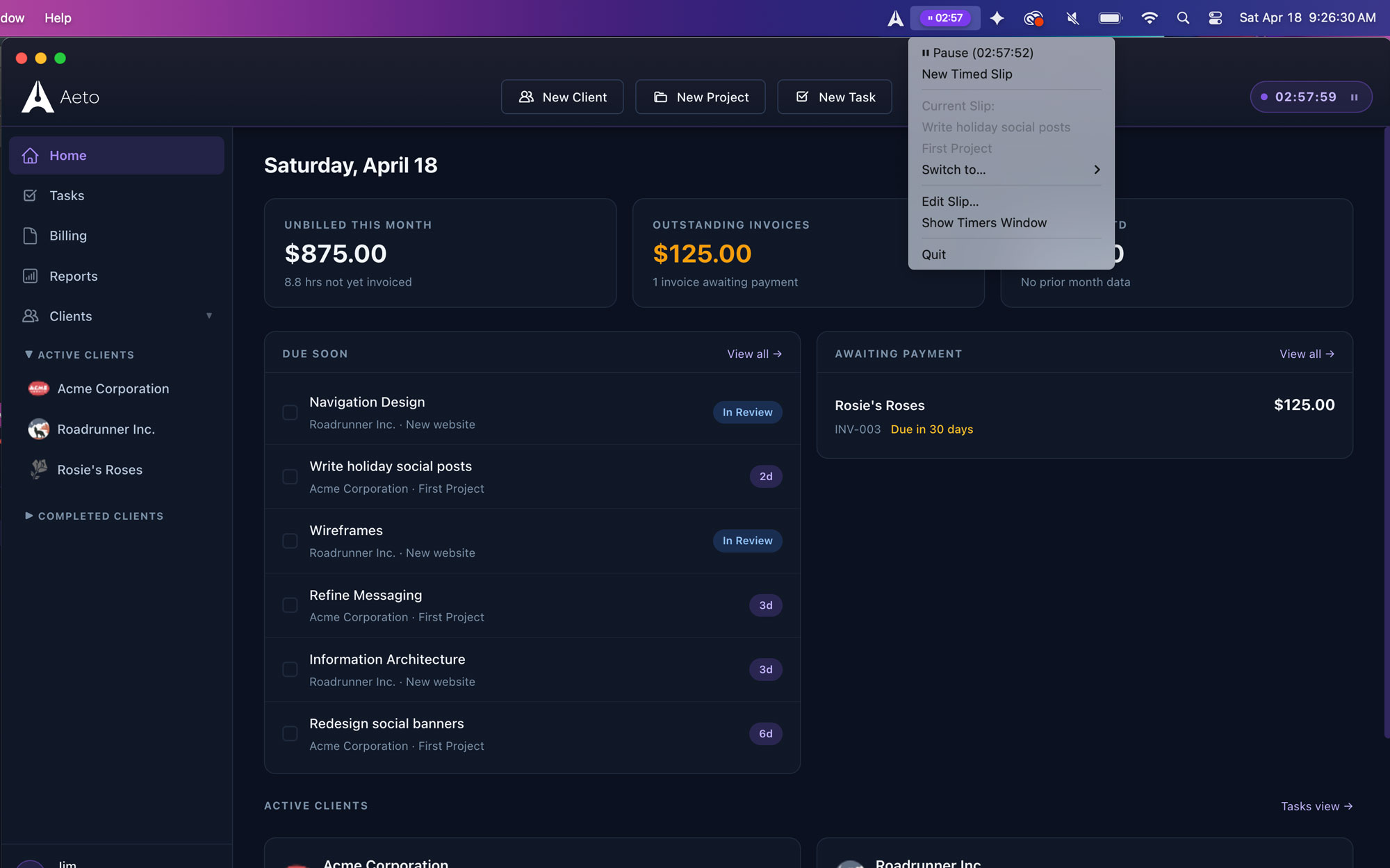
Track time on tasks, not just projects.
Start the menu bar timer from anywhere on your Mac. Every second attaches to the right task — not a vague project bucket you'll have to sort out later.
Step
03
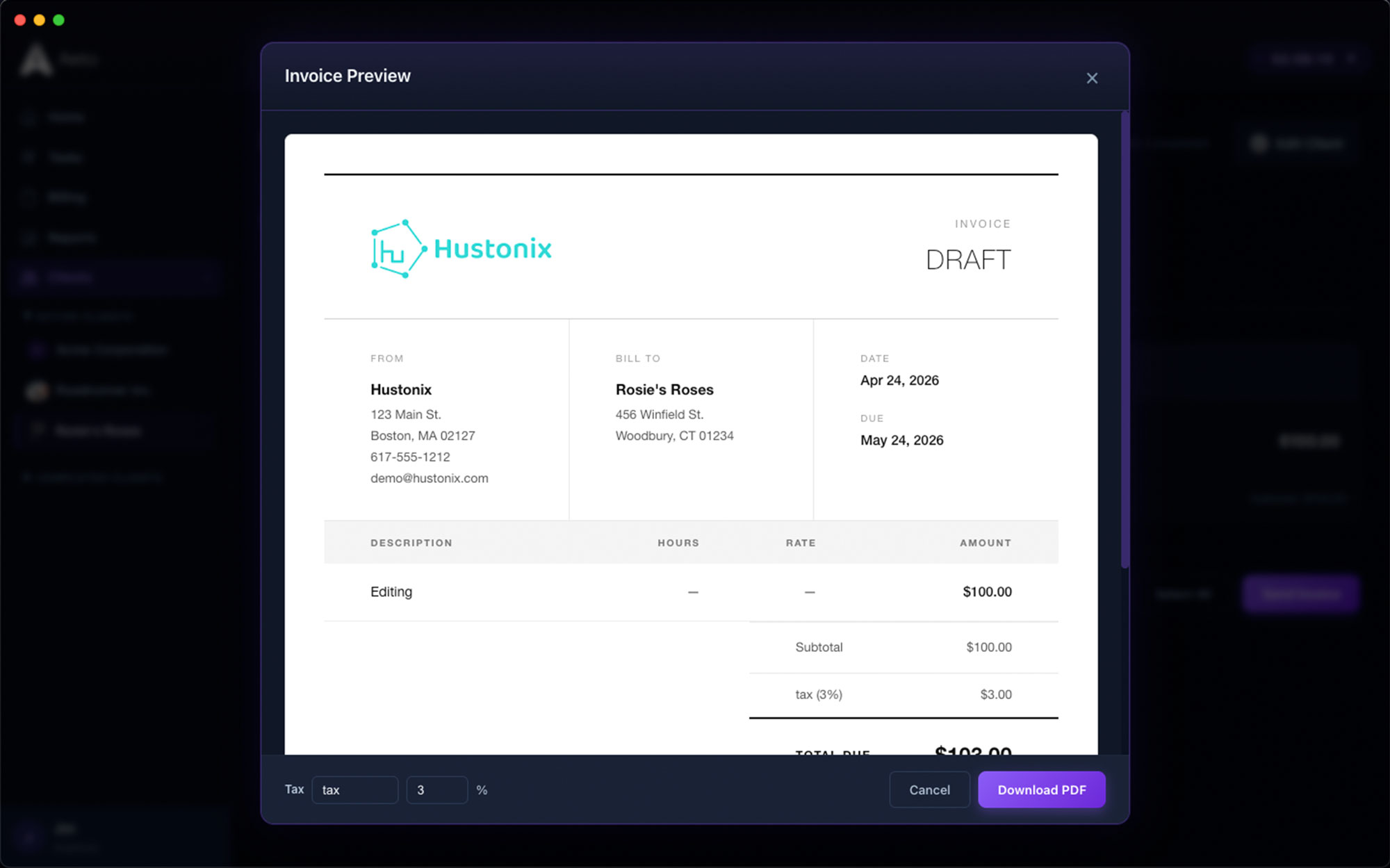
Invoice for what actually happened.
When it's time to bill, Aeto shows exactly what was done and for how long. Turn tracked time into a professional invoice in one click — no manual entry, no memory required.
Step
04
Log payment. Move on.
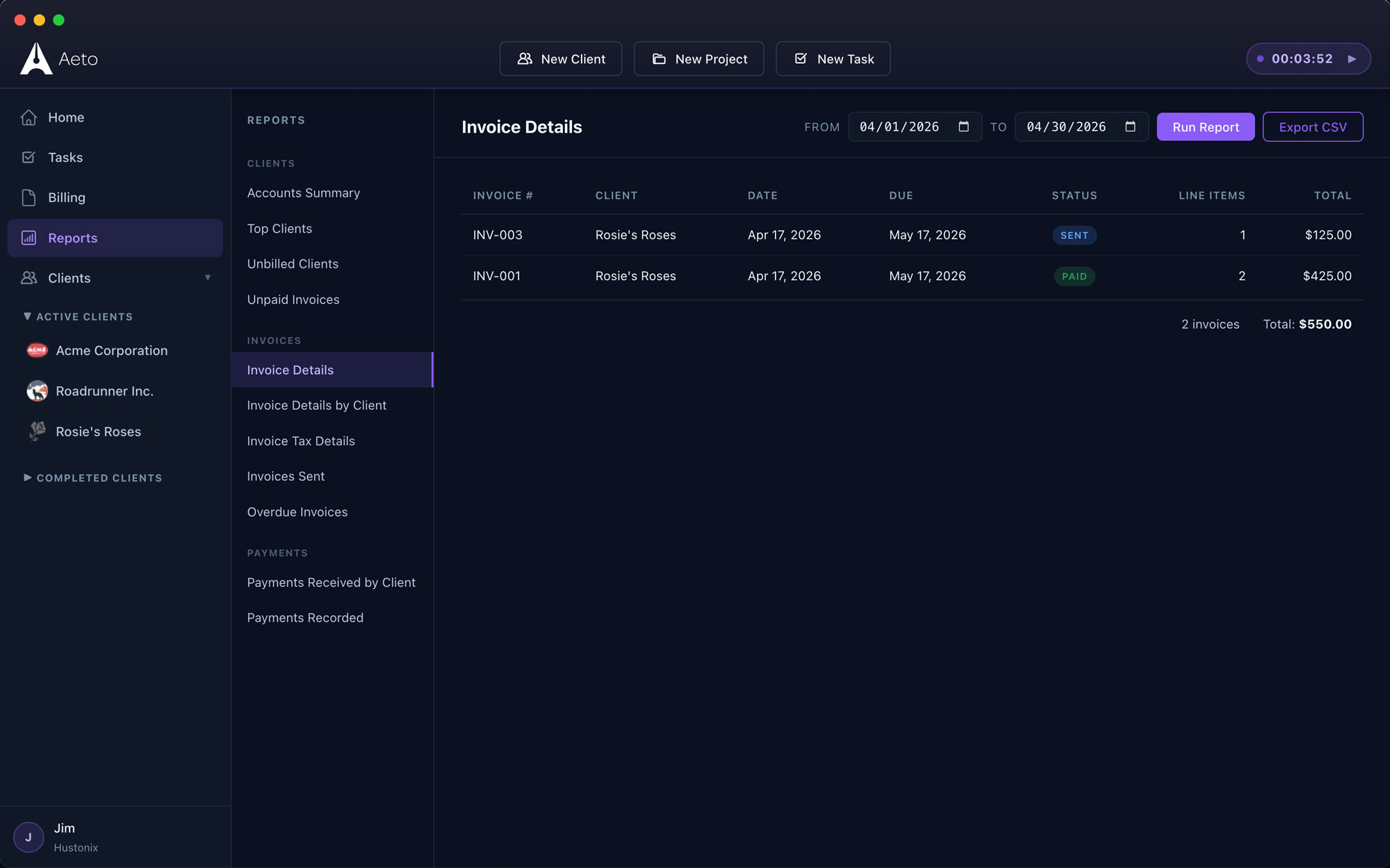
Mark invoices paid and track outstanding balances in the payments ledger. Know where every client stands without opening a spreadsheet.
The timer you'll actually use.
Mac menu bar. Chrome toolbar. Wherever you work.
On a Mac, the Aeto menu bar app lives in your top bar — always one click away, no window switching, no context lost. Start tracking the moment you start working.
In Chrome, the Aeto Extension brings the same one-click timer to your browser toolbar. Figma, GitHub, Google Docs — wherever the work happens, the timer follows. Every session logs to a specific task on your board, and that task becomes a line item on your next invoice.
Every tool you need. Nothing between you and the bill.
Aeto is built for the moment the work starts — not the proposal, not the contract. Everything here connects your work directly to your invoice.
F.01
Project & task management
Kanban board, task lists, deadlines. Every task you add is one less thing to reconstruct at billing time.
F.02
Time tracking
Task-level tracking from the app or the menu bar. Every minute ties to a task, a project, and a line item.
F.03
Professional invoicing
One click turns tracked time into a clean, client-ready invoice. No spreadsheet, no manual entry, no math.
F.04
Payments ledger
Paid, outstanding, overdue — see where every client stands without scrolling through your inbox.
F.05
Calendar view
Projects, tasks, and deadlines on one calendar. Plan the week without switching apps.
F.06
Dashboard
Revenue, active projects, recent time entries, upcoming deadlines. The state of your business, in under a minute.
Whatever you make, every hour should pay.
Aeto is for independent professionals who do the work and send the invoice — without a team, a finance department, or a second app.
Freelance Designers
Design the work. Bill every phase of it.
Brand work, revisions, client calls, presentation prep — it all belongs on the invoice. Aeto makes sure it gets there.
Freelance Developers
Ship the code. Bill every ticket.
Multiple clients, multiple codebases, different rates. Aeto keeps every project's scope, time, and billing completely separate — automatically.
Copywriters & Strategists
The writing is the easy part. Billing for it is the hard part.
Research, drafts, revisions, calls — each phase has its own time. Aeto tracks all of it, so your invoice reflects what the project actually cost you.
Consultants
Your time is the product. Price every minute of it.
Strategy sessions, prep time, deliverables, ongoing advisory. Aeto manages every engagement and makes sure the invoice reflects what you brought.
One plan. Everything in.
No tiers. No feature gating. No reason to leave hours unbilled.
Everything Aeto does. $10 a month.
Unlimited clients, unlimited projects, unlimited invoices. Pay monthly, or annually and save two months.
Everything plan
Free for 30 days
$10/mo
or $100/yr — 2 months free
Unlimited clients & projects
Time tracking & menu bar timer
Professional invoicing
Payments ledger
Kanban board & calendar
Dashboard & workload overview
macOS menu bar app
No cardCancel anytimeMac · Web · Chrome
Your work is done.
Make sure you're paid for all of it.
Start free. Your first 30 days are on us — Mac app, web app, or Chrome Extension. No card, no commitment — just the end of the unbilled hour.
Answers to the questions we get most.
Everything you're likely to ask before you download the trial.
Q.01What does Aeto do?
Aeto combines freelance project management, task-level time tracking, and professional invoicing in a single application — available as a Mac desktop app, a web app, and a Chrome Extension. It connects those three functions so tracked time flows directly into invoices without any manual data entry.
Q.02How much does Aeto cost?
Aeto costs $10 per month. The annual plan is $100 a year (two months free), and no credit card is required to start the 30-day free trial.
Q.03Does Aeto work on Mac only?
No. Aeto runs on Mac (native desktop app, Apple Silicon, macOS 12+), in any browser via the web app at app.aeto.app, and in Chrome via the Aeto Chrome Extension. The Mac app adds a persistent menu bar timer; the Chrome Extension adds a one-click timer in your browser toolbar. The web app works everywhere else.
Q.04Does Aeto replace my project management and invoicing tools?
For freelancers who need project management, time tracking, and invoicing, Aeto is designed to replace all three. It is not built for teams or enterprise project management at this time.
Q.05Is there a free trial?
Yes. Aeto includes a 30-day free trial with no credit card required. After the trial, a subscription of $10 per month is required to continue.
Q.06How automated is it?
You can choose to enable drag-and-drop timing. Just move a task from 'To Do' to 'In Progress,' and your timer automatically starts running.
Q.07Can I run multiple timers at the same time?
No, the timer works with the task you're actually working on.
Q.08Can I see all outstanding invoices across every client in one place?
Yes. The Aeto payments ledger shows every invoice across all clients with its current status: paid, partially paid, or overdue.
Q.09What does the Aeto dashboard show?
The dashboard shows your key business numbers at a glance: unbilled amount for the current month, total outstanding invoices, amount collected to date, active projects, recent time entries, and upcoming deadlines.